
Engineer Mode Test Tool1.7.1 - Get APK
You'll be able to download in few seconds.
Publisher Description

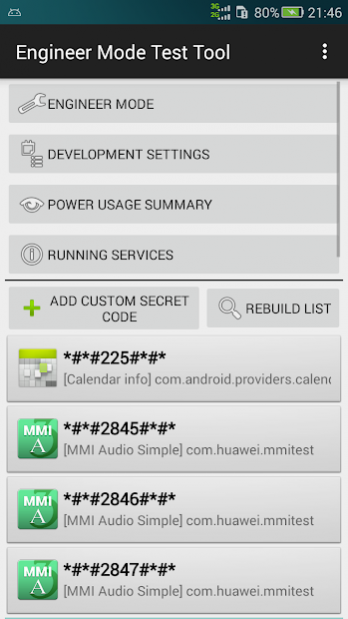
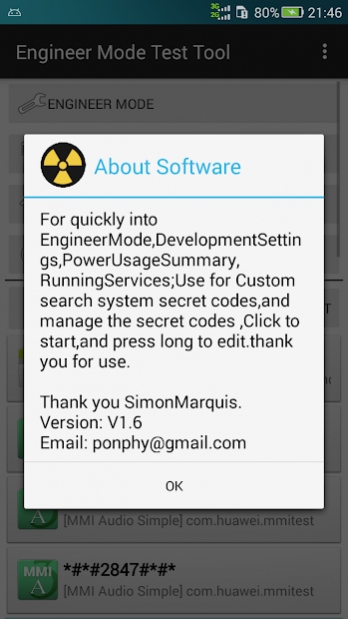
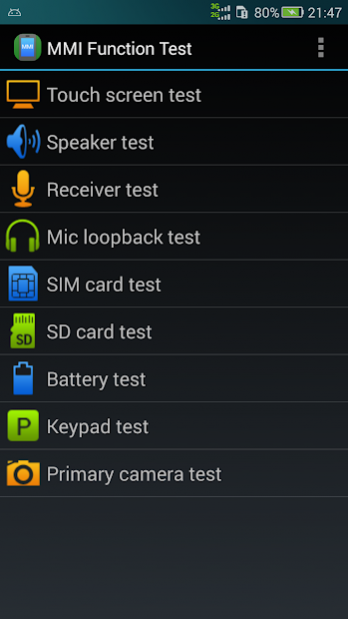
When it comes to engineering mode, and a lot of non-technical stream players are a headache. Phone engineering mode gives the impression that the blunt black and white screen, full-screen English and code commands, like a window back to the DOS system, although curious, but afraid of the phone to brick.
In fact, the Android system open engineering test mode most of the players in this mode can not really appreciate the full functionality of the engineering model, but some of the basic functionality or have, especially practical battery testing, network testing, etc. . Engineering mode, players can also SIM information accordingly, below we show you how to get into this mysterious project mode.
In fact, engineering test model of the Android operating system into the method is very simple, the vast majority of mobile phone simply call up the dialing keys, and then enter * # * # 4636 # * # * to. Enter the engineering mode menu with four options of mobile phone information, battery information, usage statistics, Wifi Information. Of course, the various versions of the ROM may be, there are some differences in the expression on.
1: In the phone message, players can view their own phone IMEI, network operators, whether roaming, signal strength, and whether roaming basic information. In addition, after pressing the option key, we can also use more features, players can customize the radio band, you can view the SIM contacts, fixed dialing, dial-up service, you can also obtain a the PDP list (a). You can lock in a useful function in the page 2G, lock 3G or set free to switch into 2,3 G, even special when you can adjust for non-flight mode signal state, such as CDMA handsets to choose GSM only option The phone becomes no signal, it is generally difficult to detect, and that phone bad birds.
2: We can also view the phone's battery information, click enter, you can see the current battery status, battery level, battery status, temperature, battery material, voltage, etc. all at a glance rendering The front of the player.
3: Players can also enter "usage statistics" menu to view the use of each program, Here you can search using time Sort option, so that players can clarity guidance on which program spend the most time.
4: the vast majority of mobile phones can view the wifi information can see a lot of what you normally do not see the wifi API, Config and Status parameter.
: Engineering mode more often is a view of information and testing platform phone functions. Players grasp the engineering mode, can you more of a love machine understanding.
The purpose of doing this software
1: to facilitate support * # * # 4636 # * # * cipher machine direct shortcut to enter the engineering mode;
2: does not support * # * # 4636 # * # * cipher machine can also enter engineering mode;
About Engineer Mode Test Tool
The company that develops Engineer Mode Test Tool is ponphy. The latest version released by its developer is 1.7.1.
To install Engineer Mode Test Tool on your Android device, just click the green Continue To App button above to start the installation process. The app is listed on our website since 2017-05-22 and was downloaded 0 times. We have already checked if the download link is safe, however for your own protection we recommend that you scan the downloaded app with your antivirus. Your antivirus may detect the Engineer Mode Test Tool as malware as malware if the download link to com.ponphy.engineermode is broken.
How to install Engineer Mode Test Tool on your Android device:
- Click on the Continue To App button on our website. This will redirect you to Google Play.
- Once the Engineer Mode Test Tool is shown in the Google Play listing of your Android device, you can start its download and installation. Tap on the Install button located below the search bar and to the right of the app icon.
- A pop-up window with the permissions required by Engineer Mode Test Tool will be shown. Click on Accept to continue the process.
- Engineer Mode Test Tool will be downloaded onto your device, displaying a progress. Once the download completes, the installation will start and you'll get a notification after the installation is finished.
Program Details
System requirements
Download information
Pricing
Version History
version 1.7.1
posted on 2017-05-22
version 1.7
posted on 2015-09-01
1.7 update,1: optimize the interface,2: automatic scanning system secret codes
version 1.4.1
posted on 2013-06-13
Several fixes and updates
Disclaimer
External Download
We do not host Engineer Mode Test Tool on our servers. We did not scan it for viruses, adware, spyware or other type of malware. This app is hosted by Galad and passed their terms and conditions to be listed there. We recommend caution when installing it.
The APK Download link for Engineer Mode Test Tool is provided to you by apps112.com without any warranties, representations or guarantees of any kind, so access it at your own risk.
If you have questions regarding this particular app contact the publisher directly. For questions about the functionalities of apps112.com contact us.
